Available 
1/35 Resin Model Figure GK, Unassembled and unpainted kit
from £1.13-£17.09.
£1.13-£17.09
Options tracked: F313
Guide
A cautious AliExpress buying guide for budget charging cables, focused on connector match, real power support, cable length and build quality rather than generic fast-charge claims.
ReviewsShop may earn a commission if you buy through links on this site.
Last verified: 2026-10-12
Start with the ends, not the price. USB-C is a connector standard, so a listing saying USB-C does not automatically tell you whether it is USB-C to USB-C, USB-C to Lightning, or a multi-connector 3-in-1 cable. That matters because the cable must match both your charger and your device if you want the right fit and charging behaviour, especially on low-cost listings where the wording can stay vague.
Treat wattage as the useful clue, not broad “fast charge” wording. A cable can be cheap and still be fine for everyday charging, but a USB-C plug alone does not guarantee high wattage or high data speed, and USB Power Delivery is a separate capability from USB-C itself. If a listing does not state the power rating clearly, compare it with your charger and device before buying, and check the retailer page for any exact markings or capability wording.
Length changes convenience more than compatibility: a short cable suits a travel pouch or power bank, while a longer one is easier beside a bed, sofa or desk. Build details such as a braided jacket, reinforced ends and obvious strain relief are useful clues for a cable that may spend time in a bag or car, but braiding by itself does not prove charging performance. On AliExpress, the best listings usually say both the length and the construction clearly, so you can judge clutter against convenience.
A 3-in-1 cable can make sense if you carry several devices or want to reduce cable clutter in a travel kit. The trade-off is that convenience-first designs may not be the strongest choice if you care most about maximum speed, tidy connector fit or a single device setup. Before choosing one, check which connector heads are included and whether the listing makes the device mix obvious enough to trust.
The biggest traps are loose compatibility wording, missing wattage details and generic “fast charging” claims that never say what standard is supported. Another common mistake is assuming a low price means the cable is fine for any USB-C device, even though capability can vary widely between listings. For budget buying, it is safer to verify connector ends, power rating and any data-speed wording on the live page than to rely on marketing phrases alone.
The strongest advice from the source material is simple: USB-C is not automatically USB Power Delivery, USB 3.2 or USB4, so capability has to be stated rather than assumed. That is especially important here because the visible shortlist does not give any useful rating or review details, and the example items available in the research are unrelated to charging cables, so they cannot be used to rank cable quality. The price spread across the broader example set is also very wide, so a cheapest-versus-best framing would be misleading; shoppers should verify the connector pair, power rating, cable length and build details on the retailer page before deciding.
Use fit first, then value. A low-priced cable like the £2.89 resin-kit example price in the wider evidence set is not a useful benchmark for a charging lead, while the £4.69 MagSafe-compatible car bracket and the £117.59 LEXXSON CarPlay module show how wide AliExpress prices can be across unrelated items. For cables, that means a slightly dearer listing can still be better value if it clearly states the connector ends, such as USB-C to USB-C or USB-C to Lightning, plus a real wattage figure, because delivery cost, delivery time and stock status can change the final cost and usefulness. On the live page, compare the latest price, shipping cost, shipping time and whether the listing shows enough specification detail to trust before you buy.
from £1.13-£17.09.
£1.13-£17.09
Options tracked: F313
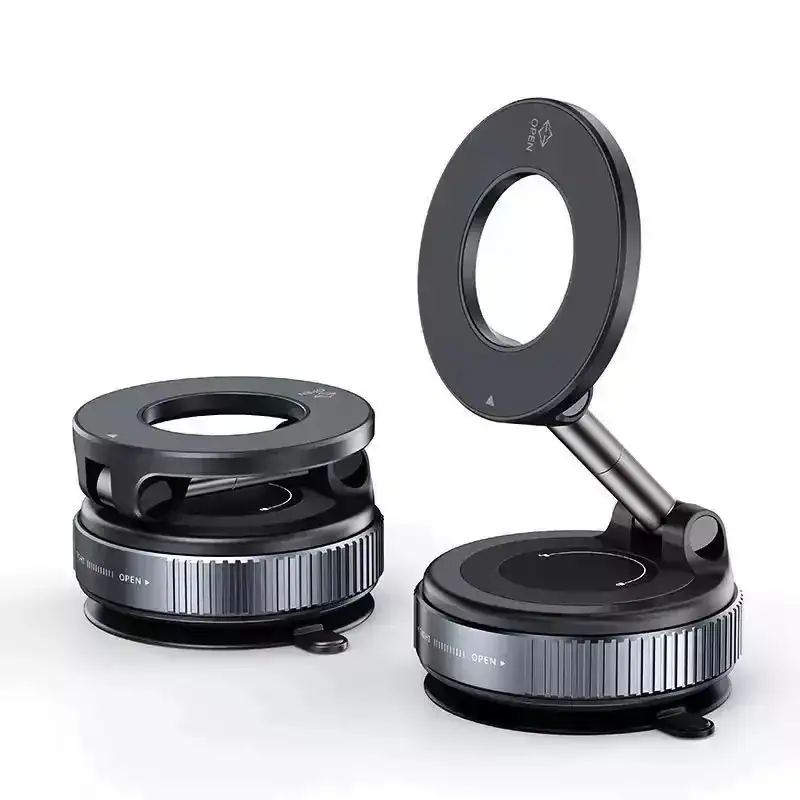
from £3.59-£3.89.
£3.59-£3.89
Options tracked: Black, Black-Plastic Rod

from £117.59-£135.39.
£117.59-£135.39
Options tracked: For PCM3.1, PCM3.1
Last checked 2026-10-12. The source list below is included to help you check the details behind the comparison. Always confirm the latest price, delivery cost, stock status and product details with the retailer before buying.
Use these related products guides and reviews to turn the advice into a practical shortlist.
Check the charging port on your device and the charger end first. USB-C to USB-C suits many modern devices, USB-C to Lightning is for Apple devices that still need Lightning, and a 3-in-1 cable only makes sense if you regularly switch between connector types.
Not always. The cable, charger and device all need to support the same charging standard, so a higher number only helps if your setup can actually use it. If a listing skips the wattage or power capability, treat the claim cautiously.
They can be a convenience win, but they are not automatically the top choice for performance. A single-purpose cable is usually easier to judge for exact compatibility, while a 3-in-1 cable is better suited to travel or mixed-device households.
Shorter lengths, braided jackets, reinforced ends and clear connector wording are the most useful filters. For a bag or car kit, a compact cable with explicit support details is easier to trust than a vague listing with only “fast charge” language.
No. USB-C is only the connector shape, not proof of USB Power Delivery, USB 3.2 or USB4. The listing should say the power or data capability explicitly if you need more than basic charging.